How to build an AI creative system that keeps the brand consistent across every format
Modern banner production is not a workflow inside one tool. It is a system: a master layout, brand rules, format rules and an AI skill that applies them repeatedly. Here is how to produce eight formats every week without chaos.
Practical guide
Adobe Firefly + Canva Magic Studio
What is new
AI creative work became more serious in 2026. Adobe, Google, ByteDance and Runway released tools that work for real brand production rather than only for impressive social-media demos. Adobe Firefly Business offers paid plans IP indemnification for copyright claims concerning generated output, with Enterprise caps starting at $50,000. That is a major change for companies that previously kept AI imagery out of advertising because of legal risk.
At the same time, Google added Veo to Google Ads Asset Studio in March 2026. Veo can turn three static images into a 10-second Demand Gen video for YouTube Shorts, Discover and Gmail. ByteDance launched Seedance 2.0 in February with a unified multimodal architecture that accepts text, images, audio and video as references at the same time, up to 12 assets in one run. Runway Gen-4 arrived with 95% character consistency from a single reference. Midjourney V8.1 introduced Omni Reference, replacing the older Character Reference and keeping objects, vehicles and people consistent across a generated style.
The main change, however, is not the models. Companies are beginning to understand that AI creative production depends on the system around a tool, not the tool itself. In January 2026, IAB's AI Transparency and Disclosure Framework introduced standards for C2PA metadata, consumer-facing AI disclosure and brand safety. The reason is blunt: 70% of marketers experienced an AI advertising incident in the previous twelve months. Forty percent had to pause or withdraw a campaign, while a third faced brand damage or a PR problem.
What will you appreciate most?
It saves days of manual work. Create the master layout once. An AI skill then adapts it to every required format using each channel's rules. A team that manually produced eight banners a week can reach the same quality in two hours. The remaining time goes into strategy and A/B testing instead of moving pixels in Photoshop.
It keeps the brand consistent across channels. Brand rules packaged in a skill are applied the same way every time: logo position, safe zones, approved claims and font hierarchy. The team does not need to remember that a display banner has a tight copy limit or that Stories needs a vertical layout with the logo inside the upper safe zone. The skill knows and enforces the rule.
It reduces legal risk. Adobe Firefly Business plus a pre-publication QA checklist removes many common AI incidents: invented claims, protected likenesses, improper trademarks and missing C2PA metadata. Rather than learning about a problem from legal counsel a month after launch, the check happens inside the ticket before the creative leaves the team.
It works in automation. Once you have a skill, Make, n8n, GitHub Actions or a morning pipeline can run it. Creative assets generate from a Jira or Notion brief, pass through a QA layer and wait for approval. Manual production becomes a review action.
- Adobe Firefly Business
- Canva Magic Studio
- Runway Gen-4
- Seedance 2.0
- Veo in Google Ads
- Midjourney V8.1
- Claude Code with a skill
Who it is for
Performance marketers, creative leads and marketing operations teams in agencies and e-commerce companies. The system makes sense wherever production is continuous and manual work cannot keep the brand consistent across channels.
Performance marketer
- Display banners
- Google Ads
- Meta Ads
- Retargeting
Agency creative director
- Brand consistency
- Client revisions
- Campaign launches
- Multi-channel production
Marketing operations specialist
- Workflow automation
- Brand assets
- QA pipeline
- Reporting
E-commerce founder
- Weekly creative
- Product images
- Seasonal campaigns
- Multi-platform launches
If you produce only one-off creative or work on one channel, the system is excessive. It becomes worthwhile when you need more than two formats a week and brand consistency is not optional.
How to use it in practice
The system has five layers. Each solves a different problem and can be replaced independently, so changing a tool in one layer does not break the rest.
01 · Master layout
02 · Brand rules
03 · Format rules
04 · AI skill
05 · QA layer
Layer 1: Master layout
The master layout is the visual foundation of the entire campaign. It is a layered template from which every format is derived, not a finished banner ready to publish. It contains layers for the hero visual, primary headline, secondary copy, CTA button, logo, claim and legal disclaimer. The team creates it once in Figma or Photoshop; the AI skill builds on it.
Without a master, every format starts from zero. Stories differs from a display banner, the marketer switches between them and the visual language falls apart. With a master, the skill understands where the headline belongs in vertical and horizontal layouts. The logo keeps the same relationship to the copy and the font hierarchy remains stable.
Layer 2: Brand rules
Brand rules are the most important document. Use one or two pages to define:
- Hex codes for primary, secondary and accent colours, including dark and light variants.
- Font families for headlines and body copy, including fallbacks.
- Logo variants such as full lock-up, mark and monogram, including safe zones in pixels.
- Approved claims, particularly in healthcare, finance, pharmacy and supplements.
- Forbidden phrases, including corporate filler, irrelevant superlatives and wording that previously had to be withdrawn.
- Tone: playful, formal or expert, and how the brand addresses the reader.
Include this document as context in every skill invocation. Without it, AI invents the brand voice differently each time and the team repeatedly fixes the same drift.
Layer 3: Format rules
Every channel has different requirements. Some are hard constraints, while others are visual best practices. Record them per channel in a structured document:
- Display network: 480×300, 250×250 and 300×300 versions, with a strict file-size limit.
- Google Ads Responsive: five images in different ratios, five headlines within the character limit and five descriptions.
- Meta Feed: 1080×1080 and 1200×628, with restrained text on the image.
- Meta Stories: 1080×1920, keeping important elements inside upper and lower safe zones.
- YouTube Demand Gen: vertical video up to 60 seconds, with the hook in the first 1.5 seconds.
- GDN display: 728×90, 300×250, 160×600 and 320×50, with animation limits.
The skill reads and applies the rules for each target format. Give it a brief for "campaign X in eight formats" and it returns the full set while respecting the channel constraints.
Layer 4: The AI skill that connects it
A pattern I recommend. Create ~/.claude/skills/banner-production/ with a SKILL.md file. The frontmatter needs name and description; write the description so Claude recognises when a campaign brief should trigger the skill. Below it, add instructions for reading the master layout, applying brand rules and producing channel-specific variants. Include a references/ folder with brand asset and format rules. One run then produces every format with consistent typography, claims and brand lock-up.
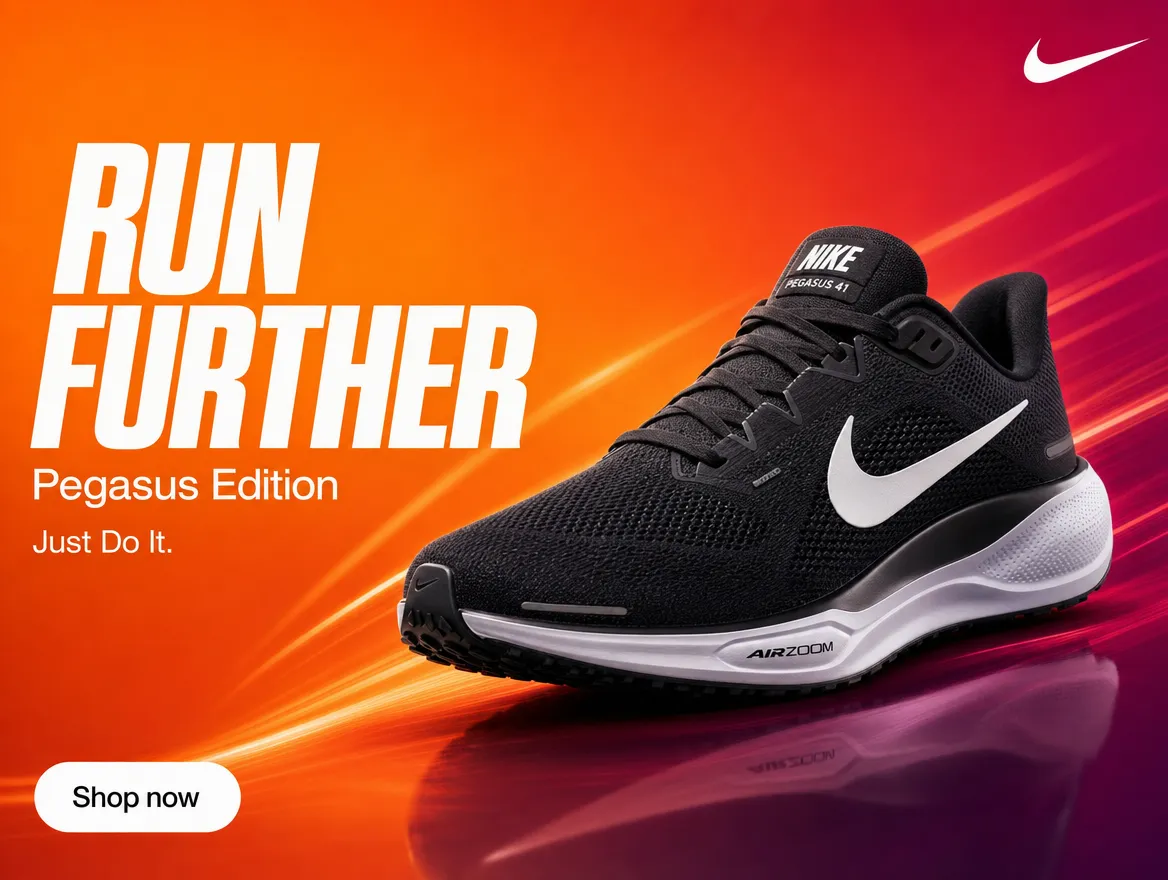
A skill is a repeatable pipeline, not a one-off prompt. A marketer calls /banner-production from chat with the campaign brief, the skill processes every layer and returns a package ready for review. Anthropic recommends beginning with skill-creator, which guides you through building the skill.
If you do not use Claude Code, Canva Magic Studio 2026 offers Magic Design, which produces 8 to 12 templates from a text brief and automatically applies the Brand Kit. It is not as complete as a custom skill pipeline, but it is the easiest start for a team without development capacity. Magic Switch 3.0 can also transform one input, such as a whiteboard, presentation or article, into another format and translate the design into 150 languages while retaining typography.
Layer 5: QA before publication
QA is not optional. According to IAB data from early 2026, 70% of marketers experienced an AI advertising incident and 40% had to pause a campaign. Thirty percent of incidents caused brand damage or a PR problem. A pre-publication checklist should cover:
- Claim review. Does the product support what the creative says? Mandatory in healthcare, finance, pharmacy and supplements.
- Brand voice check. Does the creative contain forbidden phrases or wording outside the brand's tone?
- Trademarks and likenesses. Does the image contain a protected logo, an identifiable face without permission or imitation of another brand's style?
- C2PA metadata. Where a platform or regulation requires AI disclosure, is the metadata present and correct?
- Technical validation. Dimensions, file size, format and animation rules. Platforms may reject an asset without a useful explanation.
A named person signs the checklist before publication. The audit trail, showing who approved which version and when, helps if a claim or brand-safety dispute appears later.
Practical example
An outdoor e-commerce company launches a weekly campaign for a new backpack collection. The team has one marketer, no in-house designer and an agency that handles strategy only. Without a system, the marketer spends four hours in Canva producing eight slightly inconsistent formats.
With the system, a master layout lives in Figma, created once in three hours. Brand rules live in brand-rules.md, produced once in an hour. Format rules live in format-rules.md, another one-hour investment. A Claude Code skill called outdoor-eshop-banner takes two hours to set up.
The weekly routine is simple. The marketer writes: "Campaign for the new Alpine 45L backpack, hero copy 'Lighter than before,' seasonal claim 'Early spring sale, 20% off.'" They run /outdoor-eshop-banner. The skill opens the master, applies the brand rules, produces eight channel-specific formats and runs the QA checklist. The marketer reviews, approves and publishes. Weekly production takes 45 minutes instead of four hours. Brand consistency comes from the pipeline rather than memory.
Recommended tools
In 2026, I choose tools that genuinely work together in a production pipeline. Use one primary generator and at most one backup because every generator has a different aesthetic signature. Mix three and the campaign will not feel consistent.
Adobe Firefly Business
Adobe
Best for
Agencies, enterprise teams, regulated industries
Canva Magic Studio
Canva
Best for
Small teams, startups and e-commerce brands without a designer
Runway Gen-4
Runway
Best for
UGC ads, lifestyle video, multi-shot scenes
Seedance 2.0
ByteDance
Best for
Cinematic ads, brand stories, audio-led creative
Veo in Google Ads
Best for
Performance marketers, Demand Gen campaigns
Claude Code with a skill
Anthropic
Best for
Marketing operations, creative leads and teams that want a system
Summary
AI creative production in 2026 is no longer a competition between generators. "Which tool is best?" is the wrong question. The useful question is how to build a system that keeps the brand consistent across every format. The answer has five layers: master layout, brand rules, format rules, AI skill and QA.
Without a system, AI produces attractive one-off visuals and a campaign that fragments between display and Stories. With one, the team saves days of manual work, maintains brand consistency and reduces legal risk. Firefly Business provides a safer visual layer, Runway Gen-4 or Seedance 2.0 handles video, Veo produces Demand Gen variations inside Google Ads and Claude Code connects the pipeline.
Do not begin with every tool at once. Start with the master layout and brand rules. Add a skill for generating formats, then attach the QA checklist as the final layer. Once the system works, add video and multimodal inputs. Manual production becomes approval, and the team gains capacity it would otherwise need a full creative department to achieve.
Take QA seriously. Seventy percent of marketers experienced an AI advertising incident in 2026. Without a pre-publication checklist, you risk a paused campaign, brand damage or a PR problem. An audit trail showing who approved which version and when protects the team if a dispute arises.
The system moves you from "AI generates a banner" to "AI generates a campaign under your control." That is the difference between saving hours and wasting a month's media budget.
System, not tool
Brand-safe stack
QA layer
Sources
- Adobe Firefly Business: Commercially Safe AI Content Creation
- Runway Research: Introducing Gen-4 with World Consistency
- Seedance 2.0 official launch (ByteDance)
- Veo Video Generation in Google Ads Asset Studio
- Midjourney Omni Reference documentation
- Canva Magic Studio overview
- IAB AI Adoption is Surging in Advertising (2026 report)
- Anthropic Agent Skills overview
- Brand Safety 2026 (Insider Intelligence)
Frequently asked questions
What people often ask
What is an AI creative production system, and why do I need one?
It is an editorial pipeline for creative assets. Instead of asking AI for a new banner every week, you keep a master layout, brand rules covering colours, fonts and claims, format rules for every channel, and an AI skill that adapts the master into 8 to 12 formats. You need it when the team produces more than two banners a week across several platforms. Without a system, the team manually finishes variants, loses consistency and makes every banner look as though it came from a different person.
Is Adobe Firefly really commercially safe?
Adobe offers IP indemnification for copyright claims concerning generated output on paid Creative Cloud and Firefly for Enterprise plans. Enterprise agreements have higher caps, starting around $50,000. The indemnification does not cover trademarks, likenesses or publicity claims. Uploading a protected image as a Style Reference moves responsibility back to you. For an agency with an Enterprise agreement, Firefly is safer than Midjourney or Stable Diffusion, but it is not absolute protection. Brand, legal and claim review remain necessary.
Which AI tool should I choose for video creative in 2026?
Choose by task. Runway Gen-4 is strong when a character must remain consistent across scenes from one reference. Seedance 2.0 suits multimodal work combining text, images, audio and video, with support for up to 12 reference assets. Veo inside Google Ads Asset Studio quickly turns three photos into 10-second Demand Gen clips. Higgsfield Marketing Studio suits avatar-led UGC ads. Do not mix every generator in one campaign because the output will not feel consistent. Choose one primary tool and one backup for specific situations.
How do I build an AI skill for banner generation?
The skill needs three things: a master layout such as a layered PSD or Figma template, brand asset rules covering colours, fonts, logo variants and safe zones, and channel-specific format rules for dimensions, file size and copy limits. Store it as a folder under ~/.claude/skills/<slug>/ with SKILL.md frontmatter and instructions. Write the description so the AI runs the skill when you provide a new campaign brief. The skill can then produce every format with consistent typography, layout, claims and brand lock-up. Anthropic recommends beginning with the skill-creator skill.
What should the QA layer check before publication?
Five areas: claim verification, especially in healthcare, finance and regulated categories; brand voice consistency; trademarks and likenesses; C2PA metadata for AI disclosure; and technical validation of dimensions, file size and format. The team should use a one-page checklist signed by a named person before every publication.
Keep going
Related articles
More guides from the same area, topics and tools.
How to build an AI copywriting workflow that saves hours without damaging the brand
AI copywriting in 2026 depends on an editorial system with brand voice, claim guidelines, a curatorial filter and a human signature. Here is how to build it step by step.
Is Seedance 2.0 the strongest AI video generator right now?
ByteDance's Seedance 2.0 shows where AI video is heading: action scenes, more stable motion, multimodal references, sound and fast campaign testing.

How to start with AI: begin with something you actually enjoy
The best way to start with AI is not a list of courses or a perfect prompt. Begin with a small project you enjoy. That is where you will learn fastest.