Is Seedance 2.0 the strongest AI video generator right now?
ByteDance's Seedance 2.0 shows where AI video is heading: action scenes, more stable motion, multimodal references, sound and fast campaign testing.
News analysis
Seedance 2.0 + Dreamina
What is new
Can AI video already help with real campaign preparation, or is it still mostly a space for experiments? ByteDance's Seedance 2.0 is one of the strongest signs that the answer is starting to change.
This is not simply another tool that turns text into a short clip. Seedance 2.0 can work with text, images, video and sound. It handles motion, camera work and scene continuity more reliably, allowing you to generate action scenes that none of its predecessors could manage.
For marketers, e-commerce brands and content creators, the important point is that these outputs can already support the preparation of ads, storyboards, product videos and social media content.
Seedance 2.0 was officially introduced on February 12, 2026. It uses a multimodal architecture to generate images and sound together. You can give the model text, reference images, video and audio. According to its technical report, it supports direct generation of audio-video content between 4 and 15 seconds long.
The best part
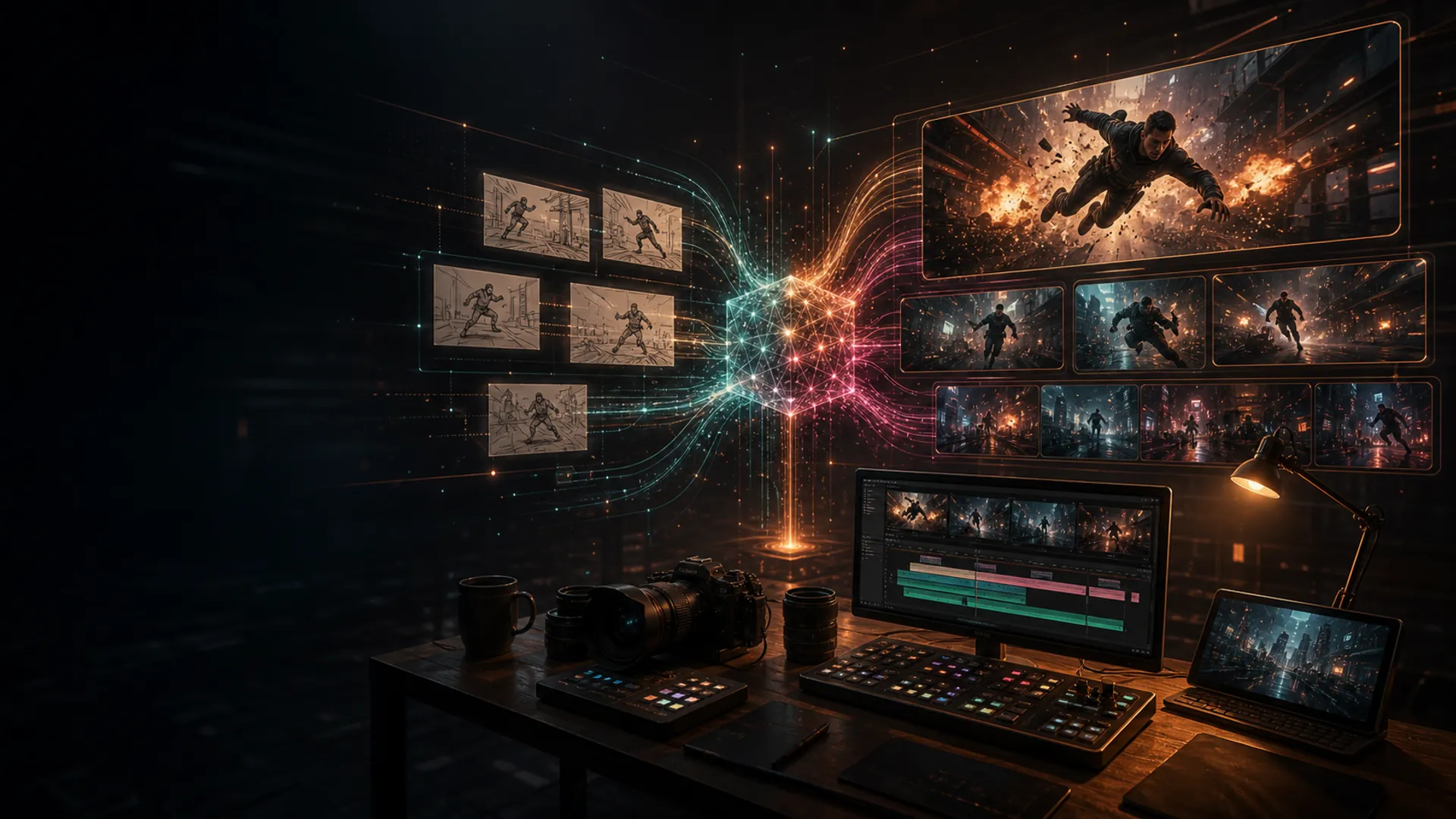
The best part is that Seedance 2.0 moves AI video beyond attractive demos toward action, motion and clearly directed scenes. Action was a weak point for older video models: fast movement, multiple characters, interaction with the environment, physics, editing and continuity often caused the entire result to fall apart.
Seedance 2.0 lets you generate action scenes that none of its predecessors could handle. This is not just an impressive claim. ByteDance demonstrates more stable motion, more complex interactions, stronger camera control and outputs in which the visuals and sound stay in sync.
That matters most in practice. A creative team does not need one beautiful shot for a demo. It needs to find out quickly whether an idea works, whether a scene has the right pace and whether it is worth taking into further production.
This example captures why Seedance 2.0 deserves attention: it is not just a static product movement, but a scene with action, energy and continuity. These are exactly the situations in which the difference between older generators and newer video models becomes clear.
Who it is for
Seedance 2.0 is most useful for marketers, social media teams, e-commerce brands, content creators, creative studios and agencies. In other words, people who need to turn an idea into a moving concept quickly.
It is not only a tool for filmmakers. It belongs anywhere teams produce a lot of short video: product ads, Reels, TikTok concepts, mood videos, presentation spots, app demonstrations and internal storyboards.
Its greatest value appears when you do not want to produce the final video yet, but need to find out quickly whether the idea has any real potential.
How to use it in practice
The best first use is not a finished ad. It is a fast test of an idea.
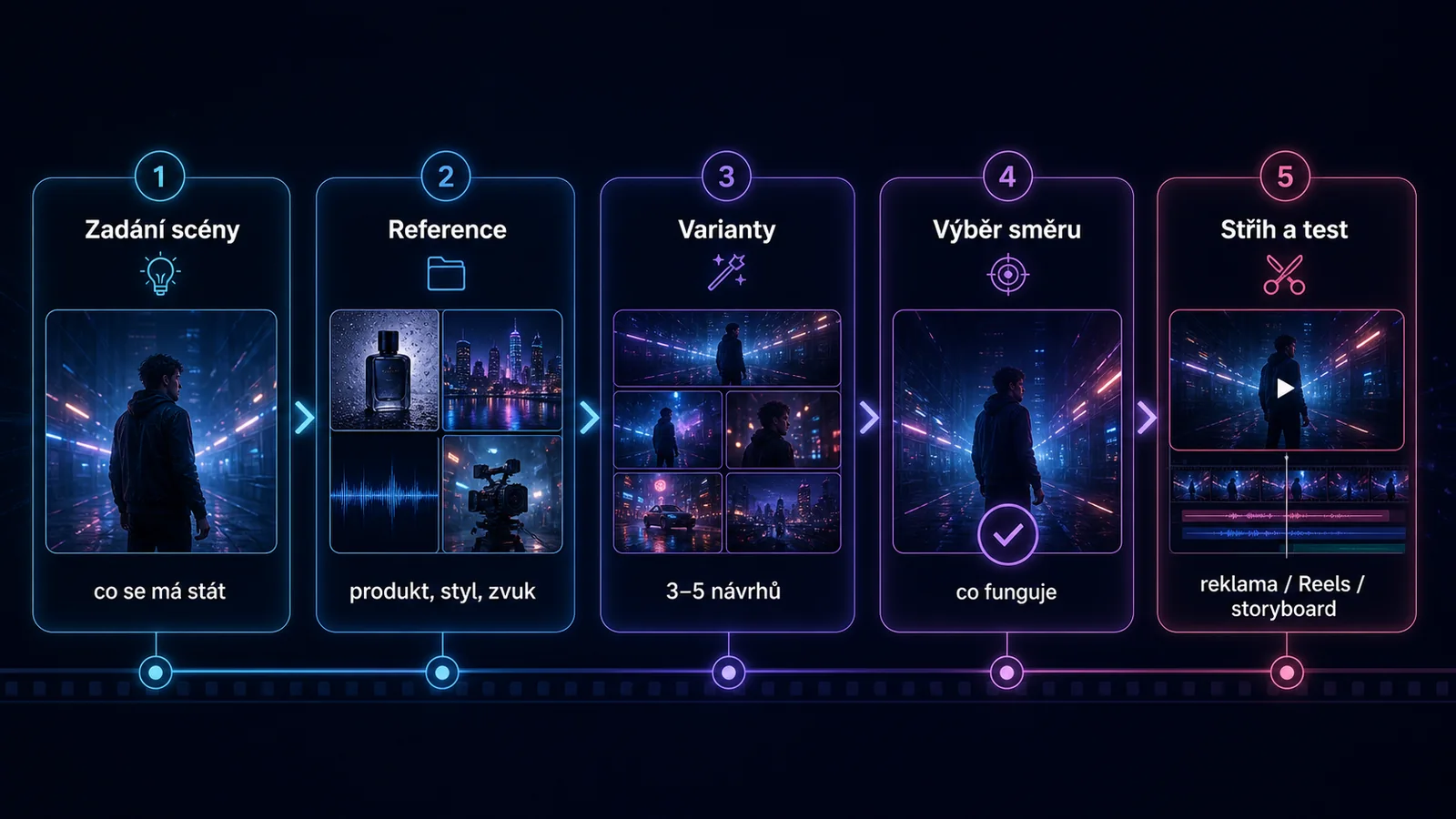
Begin with a simple brief: what should happen in the scene, which product or setting should be visible, how the camera should move and what the video should make the viewer feel.
Then add a reference image of the product, an example of the visual style and a short description of the sound. Generate three to five versions of the same scene. At this stage, do not try to land the perfect result. Focus on which direction works: whether the product feels credible, whether the shot could work in an ad and whether viewers understand the point quickly.
Only then should you refine the output. Adjust the camera, shot length, pace and setting. If the result still does not hold together, use it as a storyboard for someone who will produce the video conventionally.
One important rule: do not use other companies' brands, film characters or real people's likenesses without permission. Seedance 2.0 has faced significant criticism over rights and likenesses, so businesses are safer using their own products and visuals alongside properly licensed source materials.
Practical example
An online fashion retailer wants to test a new coat for its winter campaign. Instead of booking a shoot immediately, the team takes a product photo, prepares three simple scenarios and turns them into short video concepts.
The first version shows a close-up of the fabric in motion. The second uses an urban scene and a walking model. The third is a short advertising shot for Reels.
Within one afternoon, the team can see which direction works best. It learns that the urban scene is more effective than the studio close-up. That gives the camera operator a more precise brief and the team a quick concept for internal approval.
The result is not a finished campaign. It is a faster decision about which idea deserves time and budget.
Recommended tools
- Seedance 2.0: the main tool for generating short AI video scenes with references and sound.
- Dreamina or CapCut: practical routes into the ByteDance ecosystem where Seedance 2.0 is available for the relevant country and account.
- Runway, Veo or Kling: alternatives for comparing style, motion and the usability of the outputs.
- Figma or Canva: tools for placing video concepts into a campaign, presentation or client preview.
Summary
So, is Seedance 2.0 the strongest AI video generator right now? If strength means how well a model combines text, images, video, sound, motion and references into one process, Seedance 2.0 has a very strong claim.
Its main value is not simply that it can create an impressive clip. More importantly, it turns AI video into a practical decision-making tool: which idea deserves further development, how a scene should look and which directions should be discarded before expensive production begins.
If you work with campaigns, products or short-form social content, Seedance 2.0 is worth watching. Treat it not as a replacement for the entire production process, but as a fast way to test an idea, prepare a storyboard and reduce dead ends before filming.
Sources
- ByteDance Seed Team: Seedance 2.0 Official Launch, published February 12, 2026.
- ByteDance Seedance 2.0 model page, official feature overview and internal benchmarking framework.
- arXiv: Seedance 2.0: Advancing Video Generation for World Complexity, model card published April 15, 2026.
- BytePlus ModelArk availability, availability by region.
- AP News: Hollywood groups condemn ByteDance's AI video generator, context on copyright and likeness concerns.
Frequently asked questions
What people often ask
What is Seedance 2.0, and how is it different from older AI video models?
Seedance 2.0 is an AI video model from ByteDance, the company behind TikTok. It was officially introduced on February 12, 2026. Its multimodal architecture works with text, images, video and sound at the same time. Compared with older models such as Runway, earlier versions of Veo and Kling, the main improvement is motion and action. Fast movement, several characters, interaction with the environment, physics, editing and continuity used to be weak points that could ruin an entire result. Seedance 2.0 handles them more reliably. In practice, this makes action scenes, dynamic shots and product videos with movement far more usable.
How long a video can Seedance 2.0 generate?
According to its technical report, Seedance 2.0 directly generates audio and video clips between 4 and 15 seconds long. That is a useful length for Reels, TikTok hooks, short advertising shots and mood videos. For longer videos, you combine several generated clips in an editing tool. A practical workflow rule: do not start by using Seedance for final production. Generate three to five versions of one scene, choose the direction that works, and only then refine it or hand it to a production team. The biggest saving is not the finished video. It is the speed at which you can test whether an idea works.
Can I use Seedance 2.0 for commercial advertising?
Yes, but with an important limitation: do not use other companies' brands, film characters or real people's likenesses without permission. Hollywood studios and copyright holders have strongly criticised Seedance 2.0 over rights and likenesses. For commercial use, stick to your own products and visuals, licensed music and licensed source materials. For ads featuring a model or actor, use someone you have filmed yourself or a licensed AI character. Safer use cases include product demonstrations, faceless mood scenes, abstract visual concepts and generic urban or natural settings.
Seedance 2.0 vs Veo, Runway and Kling: which should I choose?
It depends on the job. Seedance 2.0 stands out for action scenes, motion and multimodal instructions that combine text, images and sound. Veo from Google offers close integration with the Google ecosystem and strong photorealism. Runway is an established choice for film teams that need advanced editing features. Kling from Kuaishou is strong at character animation. The practical approach is to try the same brief in two or three models and compare the results. Output quality can vary widely by scene type. For action-led advertising and short dynamic content, Seedance 2.0 currently offers a strong combination of motion, sound and reference-based workflows.
Is Seedance 2.0 available in my country?
Availability varies by region and account. Dreamina or CapCut are the most straightforward routes into ByteDance's ecosystem where they are supported. Seedance 2.0 is also available through BytePlus ModelArk for companies and developers that need API access. Check the current availability on the official BytePlus and Dreamina pages because it changes over time. If Seedance is not available, compare alternatives such as Veo, Runway and Kling. The workflow remains the same: generate several versions to test the idea, then finish production using the right specialist tools.
Keep going
Related articles
More guides from the same area, topics and tools.
How to build an AI creative system that keeps the brand consistent across every format
Modern banner production is not a workflow inside one tool. It is a system: a master layout, brand rules, format rules and an AI skill that applies them repeatedly. Here is how to produce eight formats every week without chaos.
How to build an AI copywriting workflow that saves hours without damaging the brand
AI copywriting in 2026 depends on an editorial system with brand voice, claim guidelines, a curatorial filter and a human signature. Here is how to build it step by step.

How to get your content cited in AI answers: GEO in 2026
Google AI Overviews appears in 48% of searches and ChatGPT handles a billion queries a week. GEO is a new discipline alongside SEO. Learn how to earn AI citations and measure AI traffic in GA4.